React2Static
Convert Google AI Studio projects into deployable web applications
💻 React → HTML/CSS/JS
Click or drag to upload ZIP file
Supports Google AI Studio generated projects
Completely Free
No server needed, all builds in browser
Privacy Secure
Code never uploaded to server, fully local processing
Fast Deploy
One-click generation of deployable static files
Deploy Your AI Coding Project for Free & Fast
To be honest, I don't have a programming background, so I spent a lot of time searching for deployment methods at first. I really wanted a proper way to share my designed websites. This is the fastest method I've found so far. If you know a better way, feel free to reach out on Discord – if it works well, I'll update this guide!
Download the built ZIP file from above and extract it to a regular folder
Visit dash.cloudflare.com and log in (register for free if you don't have an account)
Find Workers & Pages in the left sidebar and click it
Click Create application
Look for the small text at the bottom: "Looking to deploy Pages? Get started" and click Get started
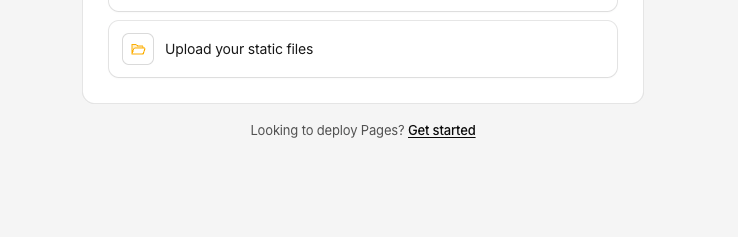
Choose Drag and drop your files option
Enter your preferred Project name
Drag the extracted folder directly to the upload area
Wait for deployment to complete. When you see the success page, click the link ending with .pages.dev to access your website

🎉 Congratulations! Share this link with your friends – they'll be amazed!
About Free Domain
Cloudflare automatically gives you a free .pages.dev domain, so you don't need to buy one. It comes with HTTPS and global acceleration, which is perfect if you just want to share with friends or use it yourself. Unless you have special needs (like wanting a more professional domain), this free domain works great.
Set up custom domain (Completely Optional)
Purchase a domain from Cloudflare Registrar (recommended) or use an existing domain
In Pages project settings, click Custom domains → Set up a custom domain
Enter your domain and follow the prompts to complete DNS configuration, wait for it to take effect
By the way, this website itself is also a product of AI coding!
Since everyone's situation is different and mistakes happen, you might run into various issues during deployment (I've hit plenty of snags myself). If that happens, try running through the steps again from scratch – sounds silly, but it often works. If you're still stuck, consider getting help from a professional team ↓
The team below worked on my previous startup project. Their professionalism and speed really impressed me.
SPONSORED
Sponsored by Fronami Technology - Professional Project Outsourcing for Startups
Your time and creativity are invaluable
Fronami provides fast, efficient, and attentive service to help startups bring their ideas to life:
With development teams in India and China, we maximize your cost savings.
Starting at $700
Every dollar you invest counts
Contact Us
Email Contact
When contacting us via email, please send your requirements or AI Studio package with detailed specifications. We will evaluate and provide a quote promptly. We strictly comply with European data protection regulations to ensure your ideas and information remain confidential.
WeChat Contact

Scan to add sales on WeChat
Deploy to Cloudflare Pages • Vercel • Netlify
Made with ❤️ for Google AI Studio users