How to Deploy React Code Generated by Google AI Studio to Production
Complete tutorial: Use React2Static to convert React projects generated by AI coding tools into deployable static websites, covering Google AI Studio, Claude Code, Cursor, Codex and other mainstream tools.
Introduction
2025 is the year AI coding tools became mainstream. Google AI Studio, Claude Code, Cursor, GitHub Copilot and other tools allow anyone to generate fully functional applications through natural language descriptions.
This article will show you how to use React2Static to build your project in the browser, then deploy it to a free hosting platform. The entire process requires no software installation - just a modern browser.
Popular AI Coding Tools
Google AI Studio - Google's online AI coding platform launched in late 2025, based on the Gemini model, generates React + Vite projects.
Claude Code - Anthropic's AI coding assistant, excels at handling complex business logic.
Cursor - Deeply integrates AI into the code editor, supporting code generation, refactoring, and debugging.
GitHub Copilot - Powered by OpenAI Codex, auto-completes code based on context.
React projects generated by these tools all require a build step before deployment. React2Static was created to solve this problem.
How React2Static Works
React2Static uses WebContainers technology to run a Node.js environment in the browser. All build processes are completed locally in your browser - code is never uploaded to any server, ensuring privacy and security.
Using React2Static
Step 1: Export Your Project
Export the ZIP file of your project from the AI coding tool. Make sure it includes the complete project structure, especially the package.json file.
Step 2: Upload and Build
Step 3: Download Results
After the build is complete, click the download button to get a ZIP package containing all static files.
Deploy to Cloudflare Pages
Cloudflare Pages offers completely free hosting services, including global CDN acceleration, automatic HTTPS, and a free .pages.dev domain.
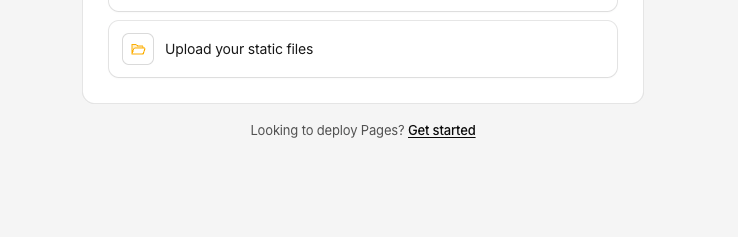
Deployment Steps

About Domains
Cloudflare automatically assigns a free .pages.dev domain with HTTPS and global CDN included. For custom domains, configure them in project settings.
Other Deployment Options
Vercel - Register an account, create a project, upload files and you're done.
Netlify - Supports drag-and-drop deployment, intuitive operation.
GitHub Pages - Free but doesn't support custom response headers, some projects may not work properly.
FAQ
Build Failed
Build Takes Too Long
Features Not Working After Deployment
Conclusion
React2Static makes deploying AI-generated code simple. From code generation to website launch, the entire process can be completed in ten minutes.
Technology should make creation simpler. We hope this article helps more people turn good ideas into accessible websites.